 mixgo
Read the Spanish you want,
woven into English.
Paste any web article or snap a page of a book, and it becomes your textbook. Spanish words are woven into English sentences a little at a time. Add more as you go, until you are reading in Spanish word order.
For iPhone, iPad and Android. Learn Spanish, Japanese, Korean, Chinese, French, Italian, German, Portuguese and more — 10 languages in all.
It started to lluvia , so I opened my paraguas .
The English frame carries the meaning, so new words are easy to guess from context. Set the new language anywhere from 0 to 100% with the slider. Past the halfway point, sentences switch to its word order.
A new language that just makes sense.
Reading a foreign language is hard because your brain is reordering words and translating them at the same time. mixgo lets you do one at a time.
Paste any article
Copy text from a news story or social media and paste it in, or send it from your browser's Share menu. Photos and screenshots can be read too.
One word at a time
Not whole sentences, but words and phrases. Tap any word to switch languages; press and hold to look it up.
Listen and remember
Hear your language and the mixed sentence back to back, so both stick together.
See mixgo in action
Who it's for
Slow at long passages
mixgo builds the habit of reading in the word order of the language you are learning.
Always wanted to read in another language
If looking up every word made you give up, your own language and the context carry you through.
Into a topic you love
Games, tech, travel — the articles you already enjoy become your textbook.
Add more as you go.
One slider, beginner to advanced.
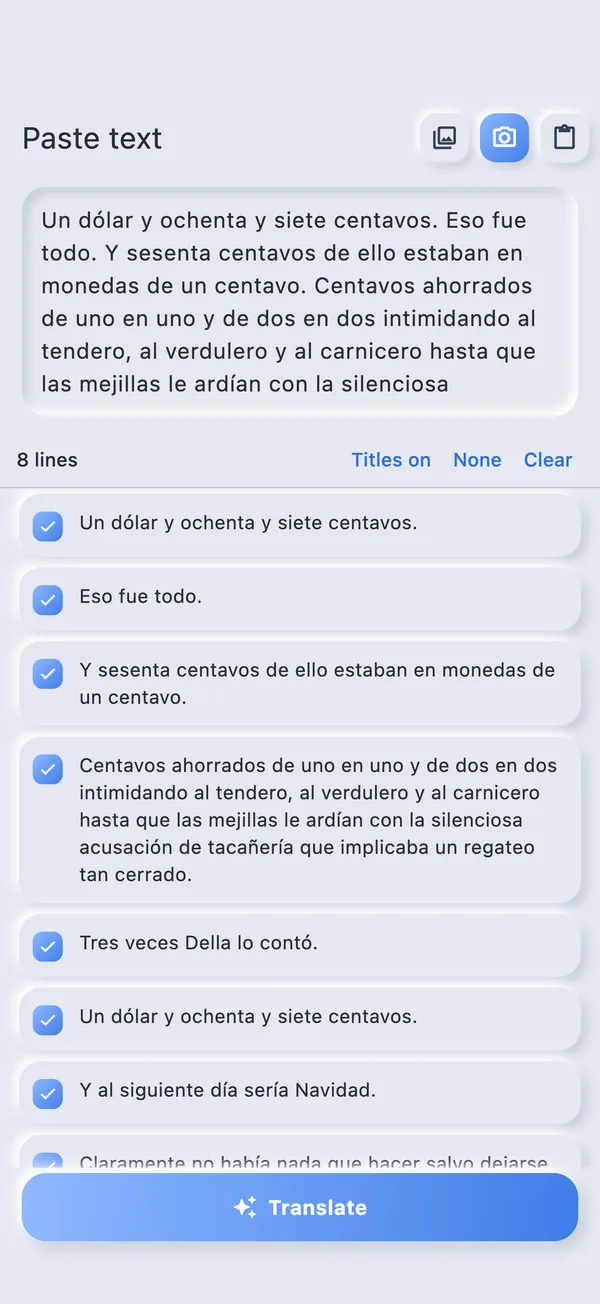
Just paste
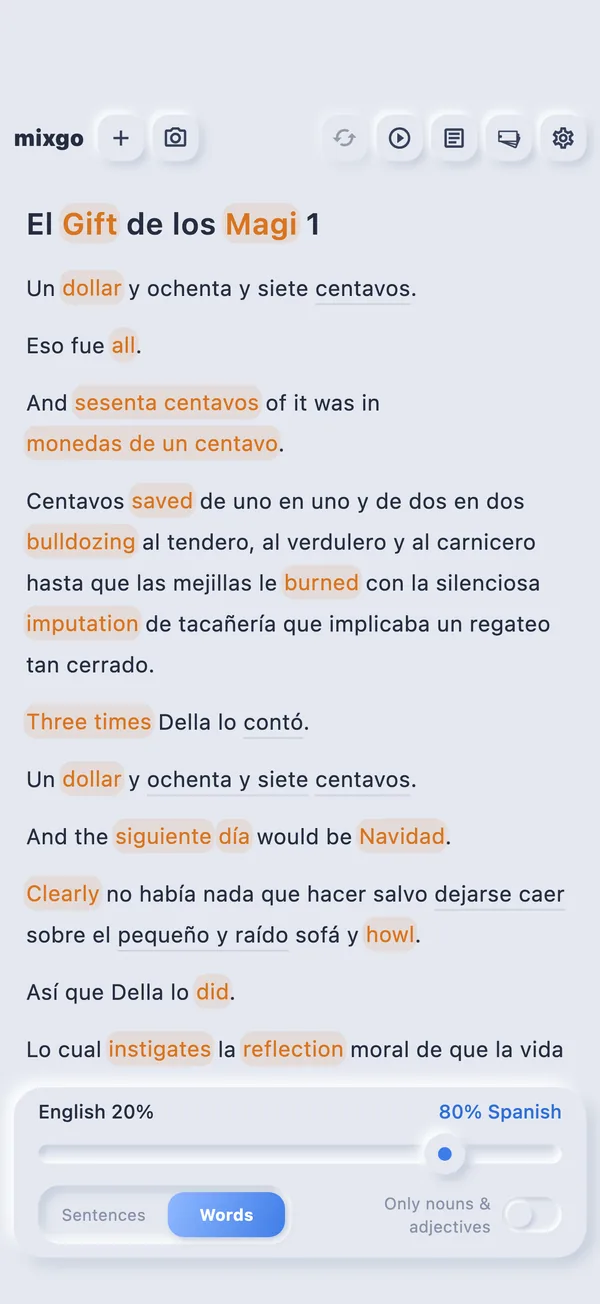
More of the new language
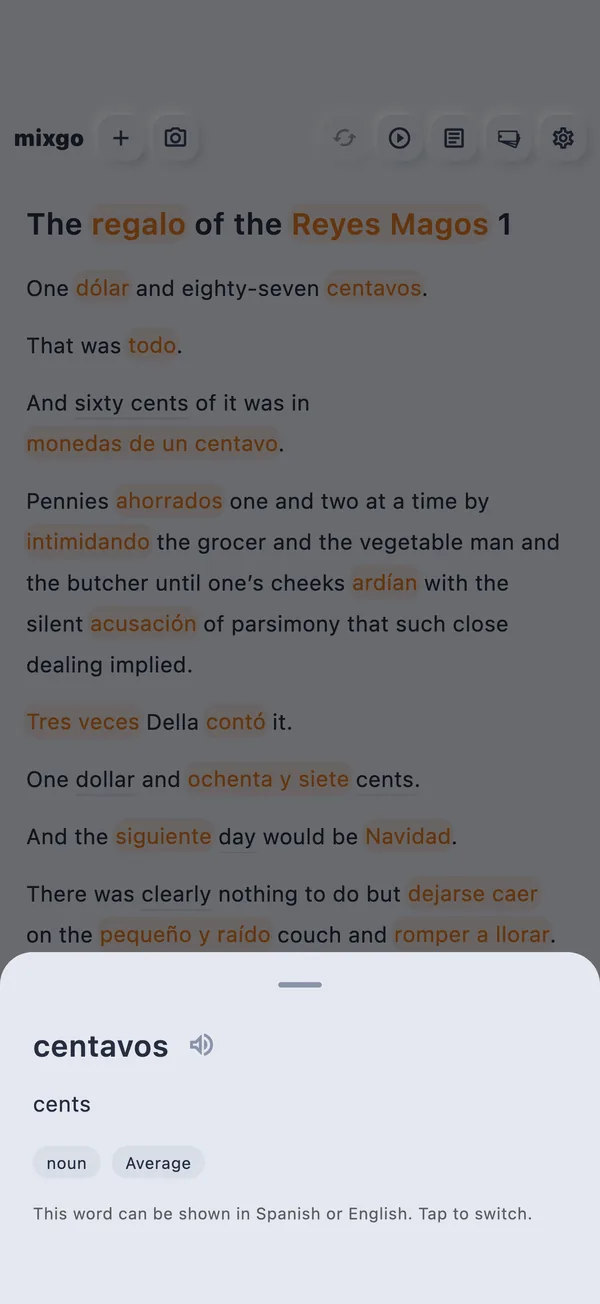
Press to look up
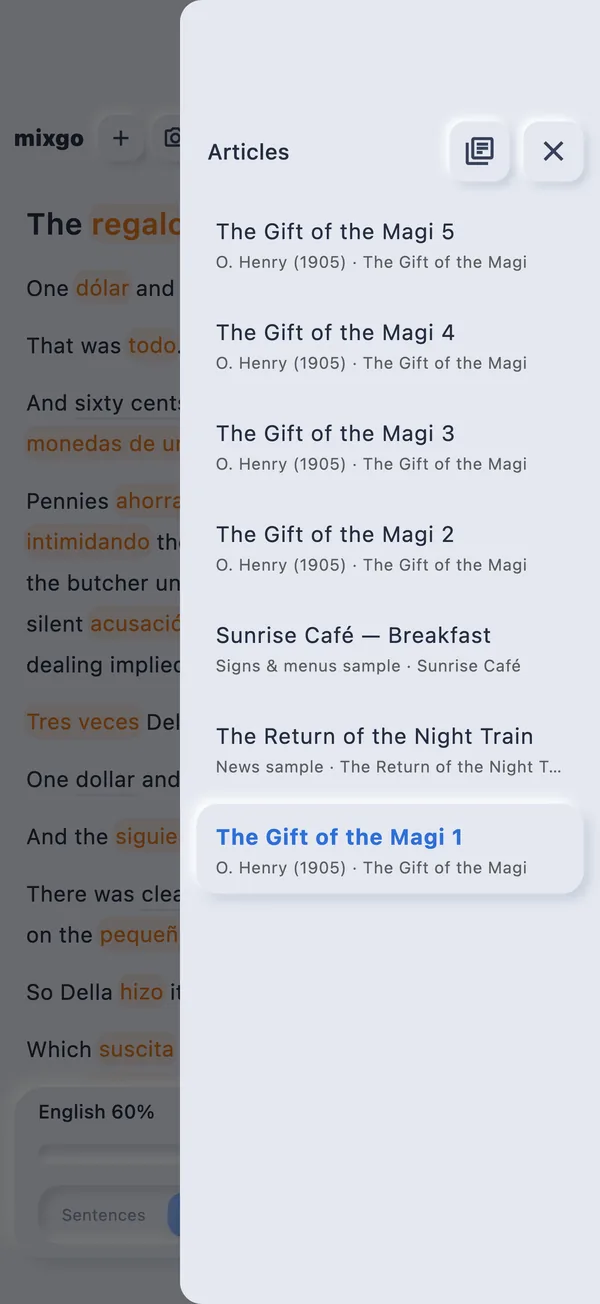
Your library
Plans
Free to start
You get an allowance to try it out. To keep using it, subscribe to mixgo Pro, monthly or yearly. Prices are shown in the App Store or on Google Play.
FAQ
What kind of text works?
Almost any prose: web articles, blog posts, emails, book pages, menus. Paste it in, or read it in from the camera or a photo.
Which languages?
10 languages: English, Japanese, Korean, Chinese (Traditional and Simplified), French, Spanish, Italian, German and Portuguese. Pick your own language and the one you want to learn.
Does it work offline?
Creating a mixed article needs a connection. Articles are saved on your device, so you can read them again later.
Are my photos uploaded?
No. Text recognition runs entirely on your device.
How much can I use for free?
You get an allowance to try several articles in mixed reading. To keep going after that, subscribe to mixgo Pro (monthly or yearly).
Can I change the reading voice?
mixgo reads aloud with your device's voices. You can pick a voice for each language in your device's accessibility or text-to-speech settings.